
AI WEBSITE DEVELOPMENT • AI TO WORDPRESS CONVERSION
I Website development has transformed the process of starting a website for businesses.
Now business owners can enter a few prompts, select a design style and create a website in minutes. AI tools can create layouts, write basic content, suggest colors and even generate working code.
The result may initially seem impressive.
Usually the problems begin when the business needs more control.
The owner may wish to install advanced plug-ins, improve technical SEO, change hosting providers, add a payment system or redesign separate sections. Many people begin looking to convert AI to WordPress at this time.
Now, there are many online tools that claim that they can convert an AI-made website into WordPress free of cost. Some even promise a full one-click conversion.
But can an AI website really be converted to WordPress without paying a dime?
| The honest answer is yes – but, only in some cases. |
Sometimes a simple website generated by artificial intelligence can be moved or recreated in WordPress for free. But a full website conversion including design, content, forms, database and custom functions is rarely a fully free one-click job.
Why Businesses Are Moving AI Websites To WordPress
AI website builders are ideal for quickly testing an idea or creating a basic website. They allow people to build pages and publish content without any coding experience.
But speed isn’t the same thing as long-term flexibility.
Many websites created by AI are hosted within a specific platform. The user may be able to make changes to the website thru the platform’s dashboard but not necessarily have full control of the code, database, server or hosting environment.
Business owners often turn to WordPress because they want:
- More control over your website design
- Themes and Plugins Access
- More SEO Options
- Freedom to choose your hosting company
- More control on the website data and the backups
- Easier integrations for marketing and analytics
- More lead generation and e-commerce options
- Rely less on one website-building platform
WordPress is an open source software, released under the GPL licence. The software can be used, changed and shared freely. However, even with a self hosted WordPress website, there are still costs for hosting, domain, premium tools, and professional support.
What Exactly Is WordPress Conversion to AI?
The word “conversion” is used too loosely.
That doesn’t always necessarily mean that a tool will copy the whole website and turn all into editable WordPress pages.
There are three different kinds of work AI to WordPress conversion can be.
1. Migration of Content
Content migration is the process of moving core website information, such as:
- The page text
- blog articles
- Photos
- Categories
- Product details
- Contact information:
Usually this is the easiest part.
Tools in WordPress can be used to import supported content. Its official WordPress Importer can import posts, pages, comments, custom fields, categories, tags and authors from a WordPress export file.
However importing content does not automatically replicate the original web site design.
2. Design Play
Design recreation is about recreating the look and feel of the AI website in WordPress.
This can be any of:
- Navigation and Header
- Hero section
- Colors and fonts
- Services sections
- Contact forms
- Buttons
- Critique
- The bottom line
- Mobile design
Most of the time, the design has to be rebuilt in a WordPress page builder, block editor or custom theme.
The new website may closely resemble the original, but may not be a duplicate.
3. Functional Migration.
Functional migration is recreating the features that make the website work.
These features might include:
- Scheduling appointments
- Payment gateways You are trained on data up to October 2023.
- Membership accounts
- Customer dashboards
- Filters
- Forms Created For You
- Calculators
- CRM integrations
- Automation workflows
These functions are not normally transferred automatically.
A conversion tool might be able to recreate the visible pages, but leave behind the booking system, database, user accounts or payment setup.
Can I convert a website to WordPress free of charge?
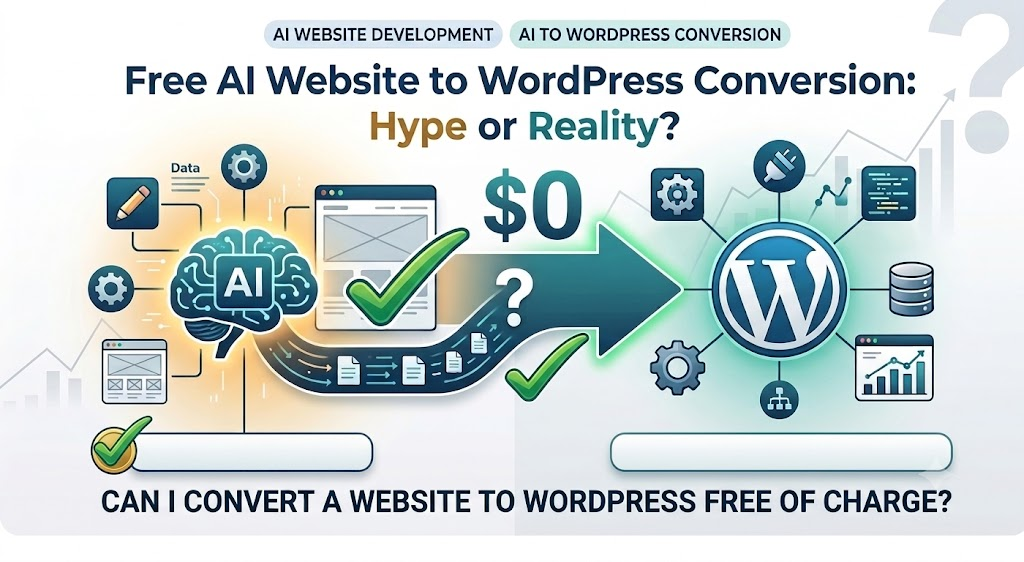
A free conversion is possible if:
- The website has only a handful of pages
- You can export the website files from the AI platform
- You’ve got WordPress hosting already
- You can re-build the design yourself
- You have experience with plugins and themes
- The website has no custom backend or complex database
- You are happy to spend time testing and fixing problems
Here your main investment is time, not money.
You may not pay a developer but you will still have to spend several hours copying content, rebuilding layouts, fixing mobile responsiveness and testing forms.
When does free conversion become hype?
This claim gets misleading when a company claims of perfect conversion of any AI website into WordPress in one click.
There are several ways for AI website platforms to create websites.
Some platforms generate downloadable HTML, CSS and JavaScript files Sometimes these files can be converted into a WordPress theme.
Other platforms store large parts of the website in their own systems. In these cases you might be able to migrate the content, but you’ll have to recreate the design and functionality.
It can lead to a bad conversion:
- Broken layouts
- Image not found
- The unedited parts:
- Mobile Display Issues
- Redundant code
- Slow page load speed
- Forms or buttons missing
- Internal links broken
- Weak SEO structure
Technically, you can build a website on WordPress and be totally worthless for business.
Tools to Migrate an AI Website to WordPress
Not every tool is used for the same purpose.
some tools generate wordpress themes from exported code. Others copy the visible design from a URL. Plugins import transfers only content or structured data.
Knowing this difference will keep you from picking the wrong tool.
1. WPConvert.ai
WPConvert.ai is one of the most relevant tools for converting an AI-generated website into an installable WordPress theme.
The active service is called WPConvert.ai. It supports exported projects from AI development tools such as Lovable, Cursor, Claude, v0, Replit and Google AI Studio, along with static HTML website files.
The basic process is:
- Export your AI-generated website files.
- Place the HTML, CSS, JavaScript and assets in a folder or ZIP file.
- Upload the project to WPConvert.ai.
- Allow the tool to analyse the structure.
- Review the WordPress preview.
- Download the generated WordPress theme.
- Install the theme through your WordPress dashboard.
WPConvert.ai is different from a basic content importer because it attempts to create an installable WordPress theme from front-end files. Its HTML conversion page describes the process as uploading an HTML folder and receiving a WordPress theme ZIP.
Best for:
- Websites generated using AI coding tools
- Static HTML websites
- Landing pages
- Agency prototypes
- Front-end download source code projects
Big limitation: Needs exportable website files. You may still require manual development for a platform-dependent database, authentication system, payment setup or custom backend.
Also the word ‘free’ has to be explained. WPConvert.ai doesn’t allow full theme downloads unless you have a paid plan or conversion credits, but limited preview conversions are available.
So it’s a real conversion tool, but not a 100% free solution to launch any website.
2. 10Web AI Website Builder
10Web offers a different approach.
Rather than needing the original source code, its AI Builder can take the URL of an existing webpage and rebuild that page inside WordPress.
The official documentation of 10Web states that users can recreate webpages from their URLs. Free users can recreate up to 10 pages right now, paid users can recreate more. Usually a whole website must be rebuilt, page by page.
Best for:
- Websites for Small Business
- Portfolio websites
- Landing pages
- Websites where source code is not downloadable
- Users who desire visual recreations of
Main limitation: Recreating the look of a page is not the same as copying the database and functions of the original website. You may need to reconfigure forms, booking, logins, payment systems and custom integrations.
3. Theme Converter for Pinegrow
Pinegrow Theme Converter is a more technical solution.
It can turn exported HTML designs into WordPress themes. Any design tool that exports HTML can be used to build websites that can then be used in Pinegrow’s conversion process, the company says.
Pinegrow lets you add WordPress capabilities to HTML elements, and create theme files such as headers, footers, templates and PHP files.
Best for:
- Users & Developers
- Students of web design
- Static HTML sites
- Projects with full html and css files
- Users who need more control over theme structure
Main limitation: Pinegrow requires more technical understanding than a simple page builder. It also offers a free trial rather than a permanently free complete workflow.
4. WordPress Importer
WordPress Importer is helpful when the content already exists in a supported WordPress export file.
It can transfer posts, pages, comments, categories, tags, authors and custom fields.
It does not recreate the visual design or custom functions of an AI-made website.
Best for
- Transfer content from one WordPress site to another
Main limitation: It is a content migration tool, not an AI website conversion tool.
5. WP All Import
WP All Import is useful when the existing platform allows data to be exported in formats such as CSV, XML, Excel or Google Sheets.
It provides a drag-and-drop mapping system that connects imported data to WordPress fields. It can import information into posts, pages, categories, images and other WordPress content types.
Best for:
- Large blogs
- Product catalogues
- Directory websites
- Structured website data
- Bulk content migration
Main limitation: It does not copy the visual appearance of the original website.
6. Free Elementor
Elementor isn’t an auto-conversion. This is a visual page builder which helps you to create the website manually.
The free version offers a drag and drop editor and basic widgets and templates.
Open the original AI website in one tab of your browser and rebuild its sections with WordPress and Elementor.
Best for:
- Novices
- Service Web Sites
- Destination pages
- Websites for small business
- Users preference for visual editing
The big downside is that you have to rebuild the site bit by bit. A few of the advanced features require paid tools.
7. WordPress Post Editor
The other manual rebuild option is the WordPress Site Editor.
It allows you to build headers, footers, templates and other parts of the website with blocks, when used with a block theme.
It is one of the most powerful free options out there if you want to avoid paying for a page builder.
Great for:
- Basic business websites
- Blogs &
- Lightweight WordPress Sites
- Users looking for fewer plugins
Main limitation: Doesn’t automatically scan or convert the original site.
What Conversion Tool Should You Select?
Select the tool according to the format you have available:
- Export AI generated code or static website files using WPConvert.ai.
- When you want to recreate webpages from their live URLs use 10Web.
- Use Pinegrow if you have HTML files and want more control over the WordPress theme.
- Supported WordPress content exports can be imported using WordPress Importer
- WP All Import for CSV, XML, Excel or Spreadsheet Data.
- Visual Manual Reconstruction with Elementor.
- For a lightweight manual rebuild use the WordPress Site Editor.
There is no “best” tool that works for every AI website.
Hidden Costs Most People Don’t Consider
WordPress software is free, but the full conversion may still cost:
- Web hosting
- Domain registration or domain renewal
- Top templates
- Upgrades to page builders
- Booking and form plug-ins
- Security tools
- Backup services
- Developer support
- SEO clean up
- Speed optimization
- E-commerce add-ons
Then there’s the cost of your time.
A business owner may take a few days to recover a fairly small development fee. Visitors may be sent to broken pages, inquiry forms may not work and normal business tasks can be ignored during that time.
Free conversion only makes sense if you are willing to pay less for professional help than your time is worth.
An Actual Process of Converting AI to WordPress
Step 1: Website audit
List of:
- All pages and URLs
- Images & files for download
- Buttons and forms
- Blog Articles
- Tracking code
- SEO title SEO description
- Key integrations
- User-defined functions
Don’t begin to rebuild until you know exactly what you have to move over.
Step 2: Back everything up
Download all the files you can. Copy the website contents to a document or spreadsheet.
Capture screenshots of all important desktop and mobile pages.
Step 3: Check Export Options
Determine if your AI platform offers:
- HTML CSS and Javascript files
- ZIP projekt
- CSV or XML documents
- Downloads of images
- Exports of content
- Access API
The conversion tool you can use depends on your export options.
Step 4: Working on a Staging Website
Create the WordPress version on a staging domain, a temporary URL or subdomain.
Do not immediately replace the live web site.
Step 5: Defend Existing SEO
Where possible, retain the same URLs.
If a URL changes, make sure to redirect properly from the old address to the new one. Page titles, headings, image alt text, internal links and meta descriptions. Move
Step 6: Test Before Launch
Review:
- Email Alerts & Forms
- Links & Buttons
- Responsive design
- Page Speed (ms)
- Analytics
- Search Console”
- Booking and payment systems
- Pages about privacy
- SSL certificate
- Website Backup
For new website, only after these checks are passed, connect main domain.
Who Is Free Conversion Best For?
If your web site is a basic three to five page brochure type, a free do-it-yourself conversion may be appropriate.
Usually, it’s not the safest option for:
- Internet commerce sites
- Paid advertising sites
- Websites with regular organic traffic
- Membership sites.
- Reservation sites
- Big blogs
- Websites with tailored tools
- Businesses that can’t afford downtime
The real question isn’t, “Can I convert it free?”
The better question is: “Can I do this conversion correctly without damaging traffic, leads or customer experience?”
What Students of Digital Marketing Should Learn
This trend presents a real opportunity for digital marketing students.
AI is able to create a website quickly, but businesses still need humans who know:
- Website architecture
- WordPress management
- Tracking conversions
- On-Page Search Engine Optimization
- SEO Technical
- Landing page design
- User experience
- Website move
Those who learn AI Website Development and AI to WordPress conversion will be more valuable than people who know only how to enter prompts.
The real skill is not designing the initial design.
The real skill is to take that design and make a fast, editable, trackable and business ready website.
Frequently Asked Questions (FAQ)
Is there a way to automatically convert an AI website to WordPress?
Front-end files must be available for conversion of AI generated or static websites. However, some manual work may be required for databases, user accounts, payment systems and custom functions.
Is WPConvert.ai free to use?
Limited free preview conversions are available on WPConvert.ai. You need a paid plan or conversion credits to download the full WordPress theme.
How can I make an AI website without coding?
Yes. Tools like 10Web can regenerate webpages, while Elementor and the WordPress Site Editor can help you rebuild the design visually. Technical knowledge is still useful for testing, SEO and advanced functionality.
Will the WordPress site remain the same?
It may look very similar, but you won’t get an exact copy. The result is based on the original website structure, export files and conversion method.
Does Conversion Affect Google Rankings?
“Yes. Rankings can suffer when URLs, content, metadata, internal links or redirects are mishandled. A good SEO migration process reduces that risk.
Conclusion: Possible but Not Entirely Free
You can convert an AI-generated site to WordPress.
Tools like WPConvert.ai, 10Web and Pinegrow have made the process more feasible. Use the WordPress Importer and WP All Import for moving content and Elementor and the WordPress Site Editor for rebuilding manually.
But these tools solve different problems.
WPConvert.ai is able to generate a WordPress theme from exported files it supports. 10Web builds pages from URLs. Pinegrow turns HTML designs into WordPress themes. Import plugins move content and page builders help you remake the layout.
No one can promise a perfect, hassle-free migration of all your sites, databases and custom features.
So, free AI to WordPress conversion is not a total myth – but the promise of a universal one-click conversion is generally hype.
Getting the cheapest conversion possible shouldn’t be the goal for business owners. The aim would be to build a fast, secure, editable and SEO friendly WordPress website that allows for future growth.
This is an important skill to learn for anyone studying digital marketing. CSE – Classify Skill Education in Dwarka Mor, New Delhi – Find out how AI website development, WordPress, SEO and digital marketing come together to make websites that do much more than look pretty. They generate traffic, leads and business.